Summary
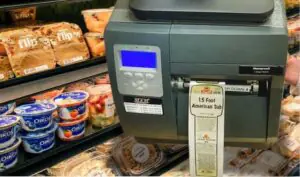
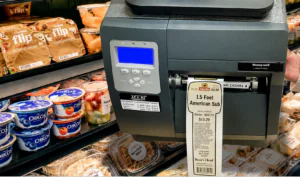
Direct thermal labels print without a ribbon. The printhead heats a coated facestock, and the coating darkens to form the image. This makes the technology well suited to labels printed, read, and retired within a defined window, such as shipping labels, pick labels, and receiving tags.
A complete specification covers required label life, the application surface, environmental exposure, facestock grade, adhesive, application and service temperature ranges, dimensions and roll format, printer compatibility, and barcode requirements. Durability depends on the selected material construction and the conditions the label operates in, so the published temperature ranges and grade descriptions for a specific product are a starting point, confirmed through sample testing.
What follows covers each specification decision in order, when thermal transfer is the more appropriate construction, and the information to include in a request for quote (RFQ).
Labeling problems often trace back to an incomplete purchase order. An order that lists only the label size and quantity leaves key application requirements unspecified: no facestock grade, no adhesive, no core size, and no statement of how long the printed barcode must remain readable.
The labels print and apply without incident. The problems surface later: barcodes return from cold storage and no longer scan, a customer’s receiving dock rejects reads, or printhead wear shortens service intervals.
Direct thermal labels are straightforward to order and easy to specify, even if you don’t know everything. No ribbon to match and no ribbon grade to cross-reference, so you make fewer decisions at the point of purchase. You still have to make the choices that determine whether a label survives the process: facestock grade, protective topcoat, adhesive chemistry, application and service temperature, core and roll geometry, barcode symbology, and minimum barcode element width.
The guidance that follows is written for the people who own the outcome when labels fail: procurement, operations, warehouse, and packaging managers who need scanning to work the first time, at every downstream node.
Direct Thermal Label Selection in Brief
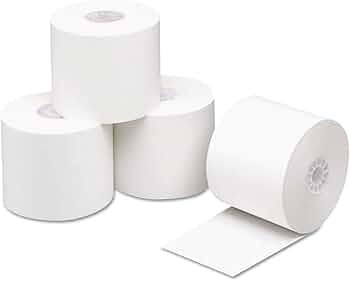
A complete direct thermal label specification covers the application, material, printer, and barcode requirements. Gaps left in the specification are filled by whoever converts the order.
- Required label life: how long the printed image must remain scannable and legible
- Application surface: substrate material, texture, curvature, and surface energy
- Environmental exposure: temperature range, moisture, UV, oils, solvents, abrasion
- Facestock grade: stock with or without a protective topcoat
- Adhesive: permanent acrylic, all-temp, freezer-grade, or removable
- Application temperature: the surface temperature at the moment of application
- Service temperature: the range the applied label must survive afterward
- Dimensions and format: width, length, core diameter, outside diameter (OD), perforation, rolls versus fanfold
- Printer compatibility: make, model, print width, media path, sensor type, wind direction
- Barcode requirements: symbology, minimum barcode element width, print quality grade, and the scanners that must read it
Required label life and environmental exposure carry the most weight. They determine whether direct thermal is the right technology, and the remaining specifications follow.
Direct thermal suits labels created, read, and retired within a defined window: shipping and freight labels, work-in-progress tags, warehouse labels for picking and putaway, lot and date coding, and receiving identification. It is a poor fit for labels that stay with a product for years, sit outdoors, or pass through washdown or solvent exposure.
How Direct Thermal Printing Works
Direct thermal printing produces an image through a chemical reaction in the label itself rather than through transferred ink. The facestock carries a heat-reactive coating. When a label passes under the thermal printhead, heating elements activate specific pixels. The coating reacts where heat is applied, and those areas turn black.
That single-consumable design is a common reason direct thermal is selected for high-volume, short-cycle labeling. Operators don’t change ribbons, and there’s no ribbon-to-label matching to get wrong. For a distribution center printing thermal shipping labels throughout a shift, removing the ribbon removes a category of downtime and operator error.
The trade-off is built into the chemistry. The coating stays reactive after printing, so later heat or incompatible chemistry can keep the reaction going. A label left in direct sun turns gray. A label rubbed against a conveyor rail loses contrast in the scuffed area. A label exposed to plasticizers in certain shrink films or vinyl surfaces can fade from underneath. None of this is a defect. This is how the technology works, which is why matching the construction to the environment matters.
Print speed and print darkness interact with the media. Evaluate print speed and darkness settings using the printer manufacturer’s guidance and the selected media.
Required Label Life, Application Surface, and Environmental Exposure
Start with label life. It is frequently left unstated, and it constrains most of the decisions that follow. The question is not how long the label will stay stuck on. It is how long the printed barcode must scan reliably under the conditions it will actually see.
Define how long the label must remain readable throughout shipping, production, or storage. Different applications may require different label constructions.
The application surface comes next. Corrugated, stretch wrap, shrink film, powder-coated steel, poly totes, and glass all behave differently. Low-surface-energy plastics such as polyethylene and polypropylene resist adhesion. Recycled corrugate with heavy dust or a rough flute profile reduces contact area. Curved surfaces such as drums, pails, cores, and small-diameter tubing create peel forces that a general-purpose acrylic adhesive may not hold against, particularly at the label’s leading and trailing edges.
Then document the exposure. Trace the label’s actual route through the facility and beyond it:
- Temperature: ambient, cold storage, freezer, near ovens or curing equipment, in trailers staged in summer heat
- Moisture: condensation from freezer-to-dock transitions, washdown, humid storage, outdoor staging
- Light: document the lighting conditions and duration of exposure
- Chemicals: cutting fluids, cleaning agents, oils, solvents, fuel vapor
- Abrasion: conveyor rails, roller decks, pallet-to-pallet contact, manual handling in tight racking
Each points to a different grade of stock. Working through the trade-offs between economy, standard, and premium direct thermal label grades helps match the grade to the application rather than applying one stock across requirements that differ.
One more item belongs in the record: who else reads the label. When customers, external logistics providers, or carriers scan labels, their requirements become part of the specification. Include any barcode and readability requirements specified by the customer, carrier, or receiving facility.
Facestock and Protective Topcoat Selection
Facestock selection comes down to one question: coated or uncoated. The answer affects durability, print quality, print speed, and printhead wear.
Stock without a protective topcoat places the heat reactive layer at the surface with nothing over it. It is the economical option and suits applications with a short, defined use window in a controlled environment, such as shipping labels, pick labels, and receiving tags. Confirm the facestock, finish, and adhesive in the selected product’s documentation.
Stock with a protective topcoat adds a clear layer above the thermal coating. Review the selected material’s documented resistance to the exposures expected in the application. Specify that construction where a label must stay scannable through a longer cycle or a rougher route.
Facestock smoothness also affects printhead wear. Printhead life depends on media, print darkness, print speed, cleaning practice, and the operating environment together, so consult the printer manufacturer’s media guidance for the model in use. Topcoating alone does not guarantee longer printhead life or faster printing.
When printhead wear and replacement intervals matter to operations, compare media options against the printer manufacturer’s guidance for the specific model in use, and weigh the media price difference against recorded replacement and downtime costs. Print darkness settings, cleaning intervals, and debris in the media path also affect how quickly a thermal printhead degrades, so they belong in the same review as the media choice.
Additional facestock details belong in the specification and are often left out:
- Material chemistry. If the application restricts particular chemicals, request material documentation confirming that the selected product meets those requirements.
- Liner performance. Liner caliper and consistency affect dispensing on automatic applicators. On a print-and-apply system, this matters as much as the facestock.
Adhesives, Application Temperature, and Service Conditions
Application temperature and service temperature are separate specifications. Confusing them is one of the more expensive mistakes in industrial labeling.
Application temperature is the temperature of the surface at the moment the label is applied. Adhesives need a minimum surface temperature to flow and wet out properly. Application outside the documented conditions may affect adhesion.
Service temperature is the range the label can survive once the bond has formed. You may apply a label at room temperature and still have it remain in service well below its minimum application temperature. The reverse does not follow: an adhesive rated to a low service temperature may still fail to bond if it is applied to a surface below its application range.
Check the selected product’s documented application and service conditions against the actual workflow.
Assess the conditions during label application separately from those during storage. Confirm that the selected construction suits both stages.
Discuss adhesive options with the supplier based on the substrate, application conditions, storage environment, and removal requirements.
When investigating adhesion problems, review adhesive dwell requirements and surface contamination. Follow the selected adhesive’s documented guidance.
Surface contamination from dust, oil, or condensation can also affect adhesion. It limits how well any adhesive wets out, so it is addressed through surface preparation, a change of application point, or an adhesive selected for that surface condition rather than by changing the facestock. Where labels are failing on drums coming off a line with an oil mist, test those options against the actual surface.
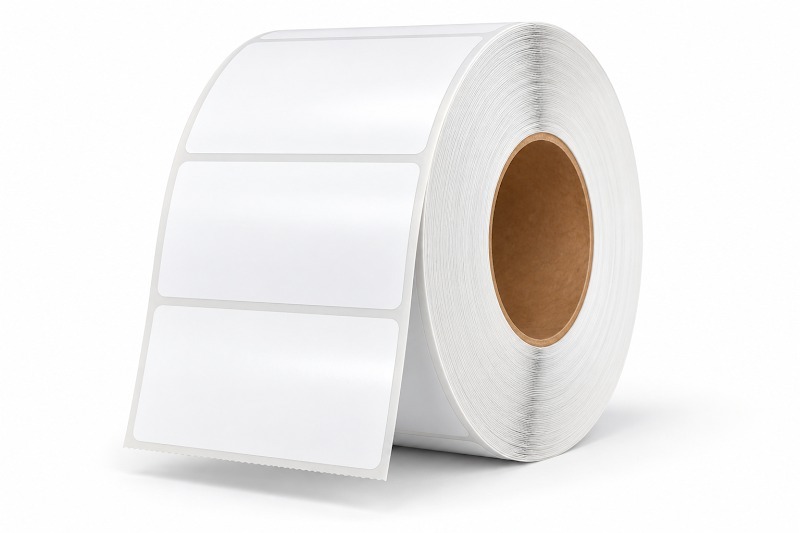
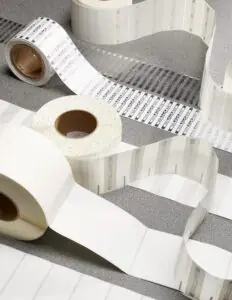
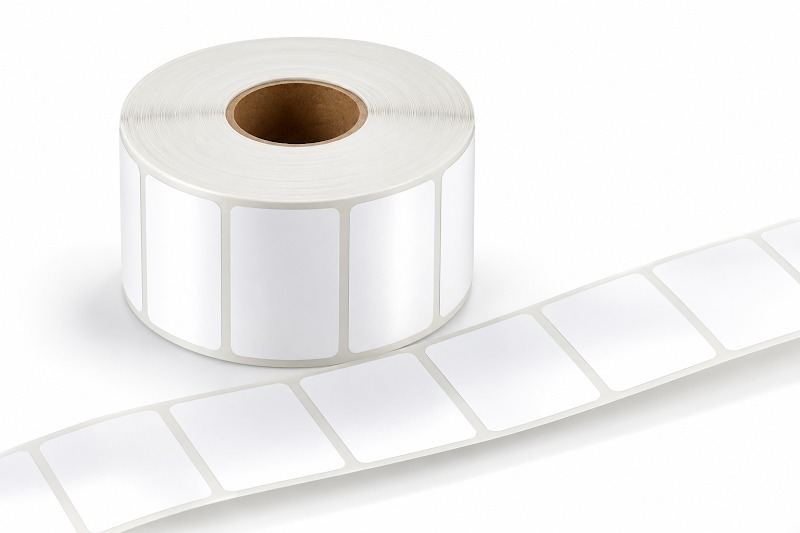
Dimensional specification looks like the simplest part of the process. A complete dimensional spec includes width, length, number across, labels per roll, core diameter, outside diameter (OD), wind direction, and perforation. Miss any of these and the order may arrive technically correct but unable to run on the equipment. Labels with the same face dimensions can have different core sizes and roll diameters. Confirm that the complete roll format fits the printer.
Format follows the printer and the volume:
- Rolls: the standard for desktop and industrial printers; larger cores and outside diameters mean longer runs between media changes
- Fanfold: stacks feed from behind or beneath the printer, removing roll diameter as a constraint and supporting high label counts per case; suited to high-throughput shipping stations
- Mobile media: smaller cores and outside diameters sized for handheld and cart-mounted printers, often with a black sensor mark on the liner for media detection
Confirm available formats, sensor requirements, and perforation options with Technicode Inc. before ordering.
Check printer compatibility against the actual fleet rather than assuming it. Confirm maximum print width, supported core and OD, media path (roll, fanfold, external), sensor type (gap versus black mark), and wind direction. Confirm compatibility with the exact printer model and its documented media requirements.
Across multiple facilities, format decisions become a purchasing strategy rather than a single line choice. Consolidating direct thermal label rolls into a shared, standardized set of sizes across multiple sites reduces SKU count and makes inventory transferable between plants when one site runs short. Review opportunities to consolidate formats where application and printer requirements allow.
Barcode Print Quality and Readability Requirements
A label a scanner cannot read is a failed label, regardless of how it looks. Barcode readability is measurable, and it belongs in the specification.
Specify the barcode format, required data, symbol dimensions, and available label area according to the receiving system’s requirements.
Confirm any required barcode verification criteria with the receiving organization.
Review contrast, edge definition, and clear space around the barcode.
- Contrast, driven by facestock brightness and print darkness. Low contrast, seen as faded or gray printing, is a frequent cause of grade loss on direct thermal stock.
- Edge definition, affected by facestock smoothness, printhead condition, and print speed. Rough stock at high speed blurs bar edges.
- Quiet zone, the clear margin on either side of the symbol, which gets sacrificed when a barcode is sized to fit a label chosen before the data content was settled.
Check barcode orientation against the printer manufacturer’s guidance and evaluate the printed result against the application’s requirements.
Scan failures in the field usually trace back to one of a handful of causes. A systematic approach to diagnosing why direct thermal barcode labels fail to scan, separating media problems from printer problems from scanner and data problems, is worth documenting before the next line stoppage.
Sample Testing Through the Actual Workflow
Every specification decision above is a hypothesis until it is tested, and testing means running samples through the real process rather than evaluating them on a desk.
A desk test shows that the label prints and sticks. It shows nothing about whether the adhesive holds through a full transit cycle, whether the barcode survives the conveyor, or whether the stock feeds cleanly through a print-and-apply head at line speed. Those conditions decide whether the specification was right.
A practical sample evaluation looks like this:
- Print on the target printer, at the production print speed and darkness setting in normal use, not a slowed-down test run.
- Apply to the real substrate, at the real application temperature, using the real applicator or the same manual method operators use.
- Run the normal route. Let the labeled product go through the conveyors, cold storage, staging, and handling it would normally see.
- Verify barcodes at the endpoints, with a verifier and with the scanner models used downstream, including the oldest ones in the fleet.
- Hold a control set for the full required label life and check contrast and adhesion at the end of that window.
Test the edge cases rather than the average day: the freezer transition, the trailer standing in the sun, the drum with the tightest radius, the label applied when the dock is coldest.
Record the results in a short spec sheet tied to each application: item number, dimensions, core and OD, facestock grade, adhesive, application and service temperature, printer model, and the barcode requirements it was validated against. That record protects the decision when the person who made it moves on, and it turns reordering into a confirmation rather than a rediscovery.
When Thermal Transfer Is More Appropriate
Sometimes the right answer to a direct thermal specification question is a different construction.
Thermal transfer printing uses a ribbon. Heat from the printhead melts a resin, wax, or wax and resin formulation off the ribbon and bonds it to the label surface. The image sits on the label as transferred material rather than as a reaction within the facestock. Compare the documented durability of the specific label and ribbon combination with the application requirements.
It also broadens the range of facestocks available, because the image does not depend on a heat-reactive coating. Synthetic direct thermal facestocks do exist, so the comparison is not paper versus synthetic. The comparison is between specific material constructions: an uncoated or top-coated direct thermal facestock whose image forms within the coating, and a paper or synthetic thermal transfer facestock printed with a wax, wax-resin, or resin ribbon. Match the construction to the performance requirements the application defines, such as exposure temperature, UV exposure, solvent contact, and abrasion resistance, and confirm through testing.
Consider thermal transfer when any of these apply:
- The label must remain legible for a period the direct thermal construction under consideration is not rated for, or it stays with the product through its service life
- Heat exposure is part of the process, including ovens, curing, engine compartments, or extended high-temperature storage
- Sunlight or UV exposure occurs, including outdoor staging and trailers with translucent roofs
- Chemicals, solvents, oils, or fuels contact the label surface
- Abrasion is significant, such as parts tumbling in bins, tight racking, or repeated handling
- The customer specifies durability or format requirements that the proposed label construction must meet
Cost comparisons depend on the specific products being compared. Direct thermal removes the ribbon from the consumable list and simplifies media handling, but total cost per label depends on the facestock grade, the volume, and the thermal transfer ribbon specification. Compare quoted pricing for the constructions under consideration rather than assuming one technology costs less.
Many operations use both, split by application: direct thermal for shipping, receiving, picking, and short cycle work in progress identification; thermal transfer labels where the application calls for longer service life or resistance to heat, sunlight, or solvents. Printing technology alone does not establish compliance. Where a regulated or customer specified label is involved, the applicable requirement defines the material, format, barcode symbology, and verification grade, and the construction is selected to meet it.

Stock Labels, Custom Specifications, and RFQ Requirements
Once the specification is settled, one question remains: does a stock size meet it, or is a custom label required?
Stock direct thermal labels cover many common cases. Compare available stock options with the documented application requirements before requesting a custom label. Confirm availability and delivery timing when requesting a quote.
Custom specifications are warranted when requirements genuinely differ. That typically means:
- Non-standard dimensions driven by an existing form, a carton panel, a tote face, or a machine window
- Specific facestock or adhesive chemistry: an adhesive for freezer applications, a high tack adhesive, a removable adhesive, a defined material chemistry, or a particular liner for automatic application
- Unusual roll construction, including a core, outside diameter, wind direction, or number-across configuration the equipment requires
- Preprinted elements such as company identification, static regulatory text, color blocks, or fixed field structure printed in advance
- A customer or regulatory requirement that defines the label format
Preprinting carries trade-offs. Preprinted stock improves appearance and can reduce print time per label, but it locks in content, adds inventory risk if artwork or requirements change, and complicates multi-purpose use. Comparing blank versus preprinted direct thermal labels on total cost and operational flexibility is worth doing before committing to an artwork-locked SKU, particularly where regulatory text or customer requirements change on a regular cycle.
To move a custom requirement to a quote quickly, include the following in the request for quote (RFQ):
- Dimensions, number across, labels per roll, core diameter, outside diameter, wind direction, and perforation
- Facestock grade and topcoat requirement
- Adhesive type with application and service temperature ranges
- Printer make and model
- Barcode symbology, minimum barcode element width, and any required print quality grade
- Substrate the label will be applied to, and the environment it will operate in
- Annual usage estimate and order frequency
- Any customer or industry specification the label must meet
Technicode Inc. supplies custom label solutions and stock labels for industrial businesses across the United States.
If the required specifications are not yet settled, that is a normal starting point. Send the printer model, substrate, an environmental description, and a sample of the label currently in use. That is usually enough to narrow the options and identify whether a stock item will do the job before anyone quotes a custom run.
Document and Maintain the Label Specification
Direct thermal labels are a low-cost consumable that carries operational risk out of proportion to their price. A label that fades before it is scanned, releases in a trailer, or grades below a customer’s threshold creates cost in receiving disputes, rework, and line stoppages.
The answer is not buying the most expensive stock available. It is recording what the label has to do, meaning how long it must last, what it will be applied to, what it will be exposed to, and who has to scan it, then matching facestock, adhesive, format, and barcode requirements to that. Document it per application, validate with samples through the real process, and record the result. Revisit the specification when the printer fleet, the substrate, the storage conditions, or a customer’s barcode requirement changes.
For a second set of eyes on a current specification, or for direct thermal label rolls in a size, grade, or adhesive not found in stock catalogs, send the details to Technicode Inc.
Request a custom label quote, or contact the team with the printer model, substrate, and application conditions to get a specification recommendation.