
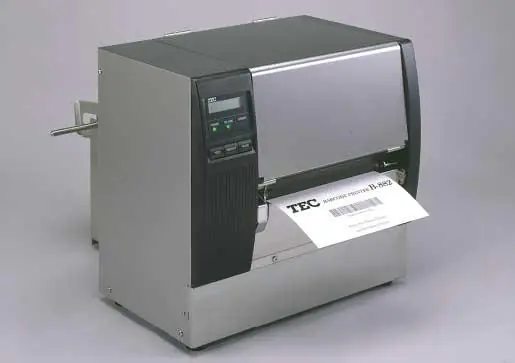
A printhead is a consumable, but it shouldn’t be a surprise expense. In direct thermal printing, media, printer settings, and handling can affect printhead wear. Understanding what affects thermal printhead life can help maintenance teams plan for replacements.
The factors below can contribute to printhead wear and deserve attention during maintenance reviews. Maintenance and packaging teams can review these factors against the printer manufacturer’s guidance.
People Also Ask
How Long Does a Thermal Printhead Last?
Printhead life depends on the printer, media, settings, operating conditions, and maintenance. Consult the manufacturer’s documentation for model-specific guidance.
What Can Cause Thermal Printhead Wear?
Media abrasion, excessive darkness settings, contamination, incorrect print width, missed maintenance, and electrostatic discharge can contribute to wear or damage.
Does Label Quality Affect Printhead Life?
Direct thermal media contacts the printhead during printing. Its surface characteristics and any debris it leaves behind can affect wear and print quality.
Abrasive Label Media
Direct thermal media has no ribbon between the label and the printhead, so the face coating serves as both the print surface and the wear surface. Use media suited to the printer and application.
Paper dust and other media debris can collect along the print path. Review media quality if debris repeatedly accumulates. Selecting compatible direct thermal labels is part of managing printhead wear.
Excessive Darkness for the Selected Media
When prints start looking faint, the reflex is to increase darkness. That pushes more energy through each heating element, and printer manufacturers warn that setting darkness higher than the media requires can contribute to premature printhead wear.
Review media compatibility, print speed, and darkness together. Use settings that produce acceptable print quality within the manufacturer’s recommendations. If operators routinely compensate with darkness, check whether direct thermal barcode labels fail to scan for reasons the darkness dial can’t fix.
Adhesive and Media Residue Buildup
Adhesive and media residue can contaminate the printhead and interfere with heat transfer. This can cause uneven or faded printing.
If deposits repeatedly appear, review media compatibility, storage conditions, and maintenance with your label supplier.
Print Width Set Wider Than the Media
A width setting wider than the media lets the printer print beyond the label edge. Set print width according to the media and the printer manufacturer’s instructions, and avoid configuring the printer to print beyond the media.
Confirm that the configured print width matches the media and follows the printer manufacturer’s instructions. Lock this down when you specify direct thermal labels for your plant.
Missed Printhead and Media Path Cleaning
Routine cleaning helps manage dust and residue that can affect print quality. Follow the cleaning schedule and use the cleaning materials specified for your printer model.
The platen roller, sensors, and guides also collect dust and adhesive. Across facilities, document cleaning procedures for each printer model and operating environment, and consider standardizing direct thermal labels across multiple sites to reduce variation in the media being run.
Static Discharge During Handling
Electrostatic discharge can damage the printhead and other electronic components.
Follow the manufacturer’s electrostatic discharge precautions when loading media or maintaining the printer. Avoid touching the print elements.
Getting Ahead of Printhead Wear
When investigating premature wear, review media compatibility, printer settings, and maintenance practices. You can check each factor above against the printer manufacturer’s documentation and your current label specification, including whether you run blank or preprinted direct thermal labels.
Frequently Asked Questions
Follow the cleaning schedule and use the cleaning materials specified for your printer model. Consult the manufacturer’s guidance about cleaning frequency for your operating environment.
A damaged printhead generally requires replacement. Print defects may also result from contamination or settings, so confirm the cause before replacing it.
Persistent blank lines can indicate damaged print elements, but contamination can produce similar defects. Follow the manufacturer’s troubleshooting guidance.
Print speed and darkness work together to affect print quality. Review both settings within the manufacturer’s recommended range.
Thermal transfer ribbon separates the printhead from the label surface. Relative printhead life depends on media, ribbon, settings, and maintenance.
